Fees, attendance and marks: one screen for the school office.
Record fees and print receipts, mark attendance, enter exam marks and print report cards. Parents get reminders on WhatsApp and can check their child on a phone. Works in any browser, in Tamil and English.
Or look around as a teacher or a parent
- Nothing to install
- Import students from Excel
- Runs on a phone
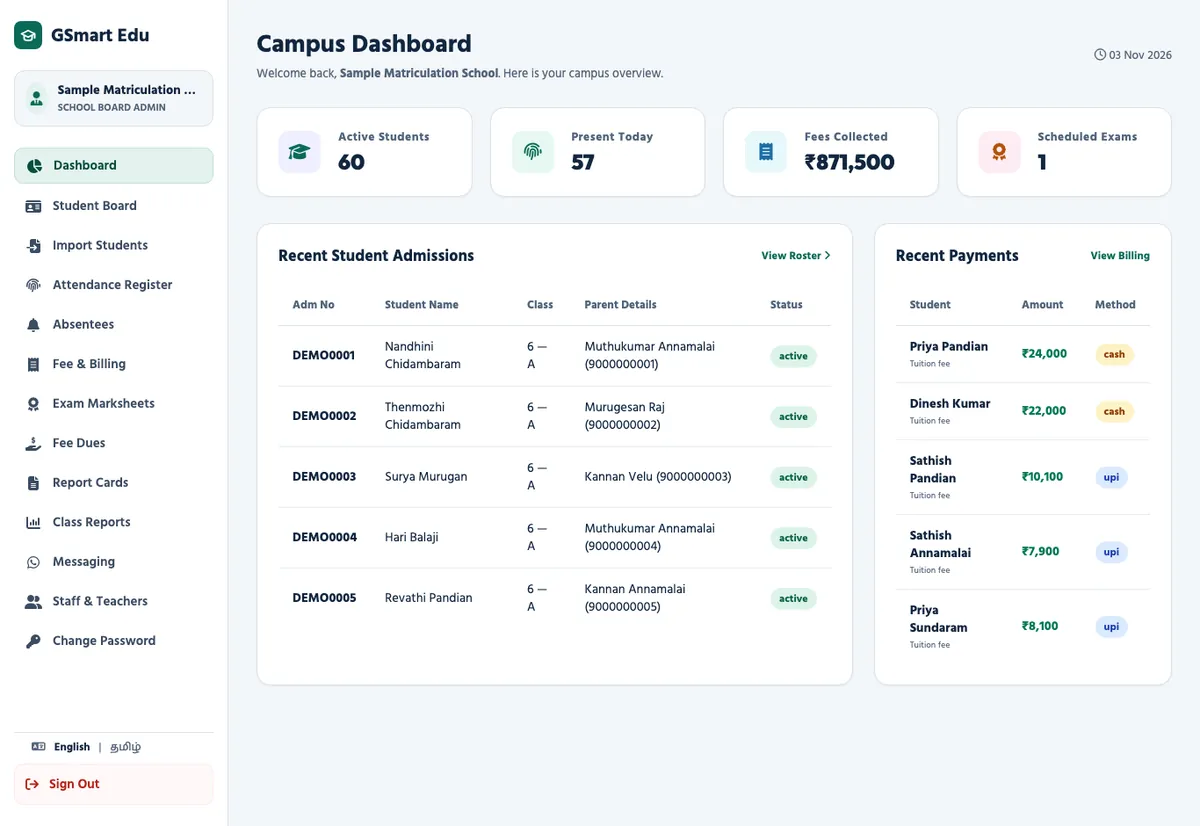
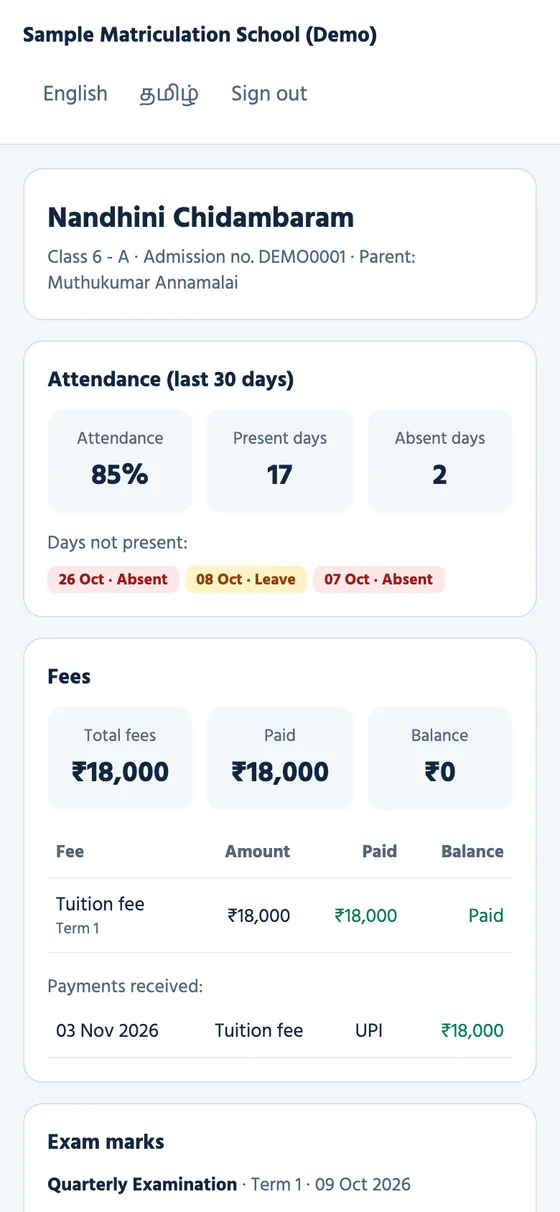
A school day, step by step
These are screens from the demo school, not mock-ups.
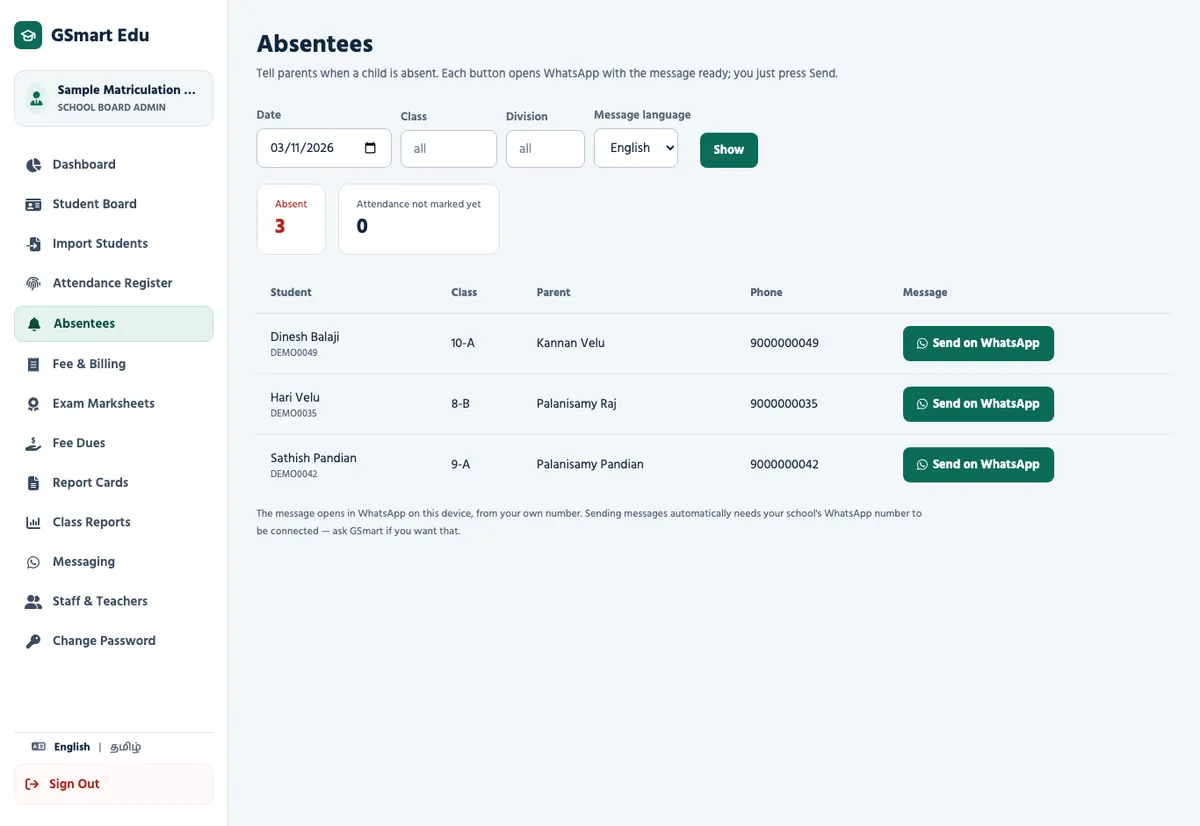
Attendance, then a message to the parents of absent children
The class teacher marks the register or taps RFID cards at the gate. The Absentees page lists who is missing. One tap opens WhatsApp with the message ready, in Tamil or English.
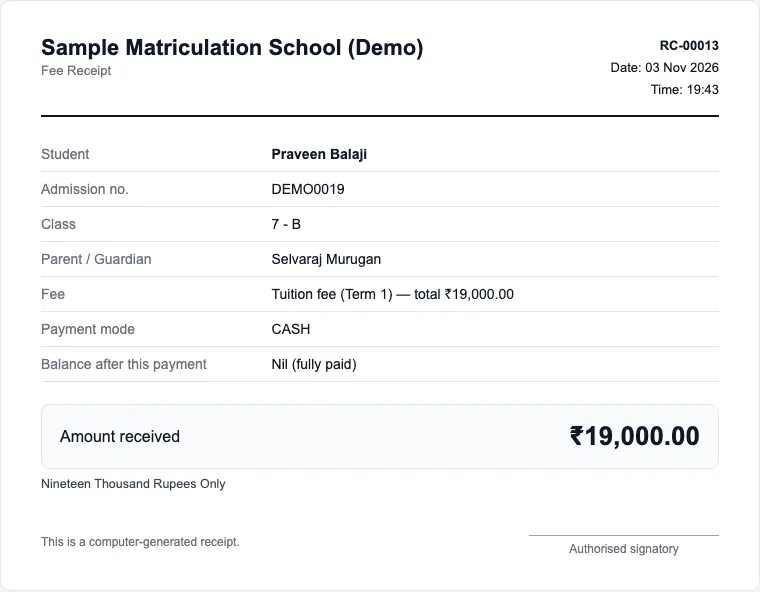
Record the payment, hand over a receipt
Choose the student, enter cash or UPI, and print a receipt with the amount in words and the balance left. Fee Dues shows who still owes, with a WhatsApp reminder for each parent.
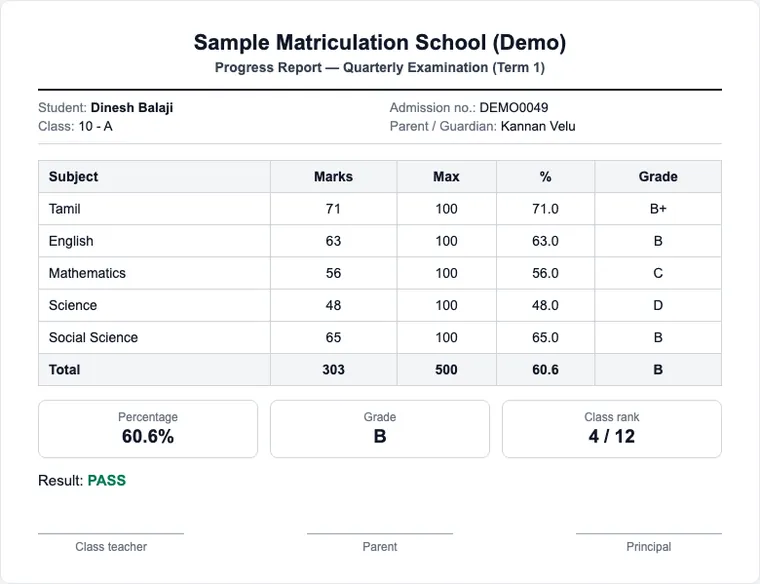
Enter marks once, print every report card
Teachers enter subject marks. The report card shows total, percentage, grade and class rank for a whole class on separate pages. Parents see the same marks in the parent portal.
Three logins, three views
Each person sees only what they need. Open any of them in the demo.
School office
The correspondent, principal or office staff.
- Students, import, fees, receipts
- Class reports and fee dues
- Adds teacher logins
Teacher
Class teachers and subject teachers.
- Attendance and absentees
- Exam marks and report cards
- Homework with a picture or text for their own class
- Answers parents' messages
- No access to fees
Parent
Signs in on a phone with the admission number and the mobile number the school has.
- Attendance of the last 30 days
- Fees paid and balance
- Exam marks
- Homework and school notices, with notifications
- Writes to the teacher or office: questions, leave, feedback
Run it the way your school prefers
On GSmart hosting
We create your school login and look after the server. You start the same day.
On your own domain and hosting
We give you an installation package with its own database for your school alone, so the data stays on your hosting. We guide the setup over WhatsApp.
What is not included yet
- Automatic WhatsApp sending works only after your school's own WhatsApp number is connected. Until then staff send each message with one tap from their phone.
- Parents and teachers add the app to their phone home screen from the browser and receive notifications (Android; on iPhone after Add to Home Screen). An app in the Play Store and class timetables are planned.
Try it with your own class lists, free
We load your students and set up your fees for a free pilot. After that, pricing is a one-time setup plus a small monthly plan. Send your school size on WhatsApp and we reply with a quote.
Or call +91 94881 86414
Questions schools ask
We already keep student lists in Excel. Can we start from that?
Yes. Save the sheet as CSV and upload it. The page checks every row and tells you which ones need fixing before anything is saved.
Is our students' data safe?
Each school signs in to its own records. Passwords are stored hashed, repeated wrong sign-ins are locked out for 15 minutes, and teachers cannot see fees. You can also host it on your own server.
Do parents need to install an app?
No. They open a link in the phone browser and sign in with the admission number and their registered mobile number.
Does it work in Tamil?
Screens can be switched to Tamil, and parent messages go in Tamil or English. Tamil student names are stored and printed correctly.